


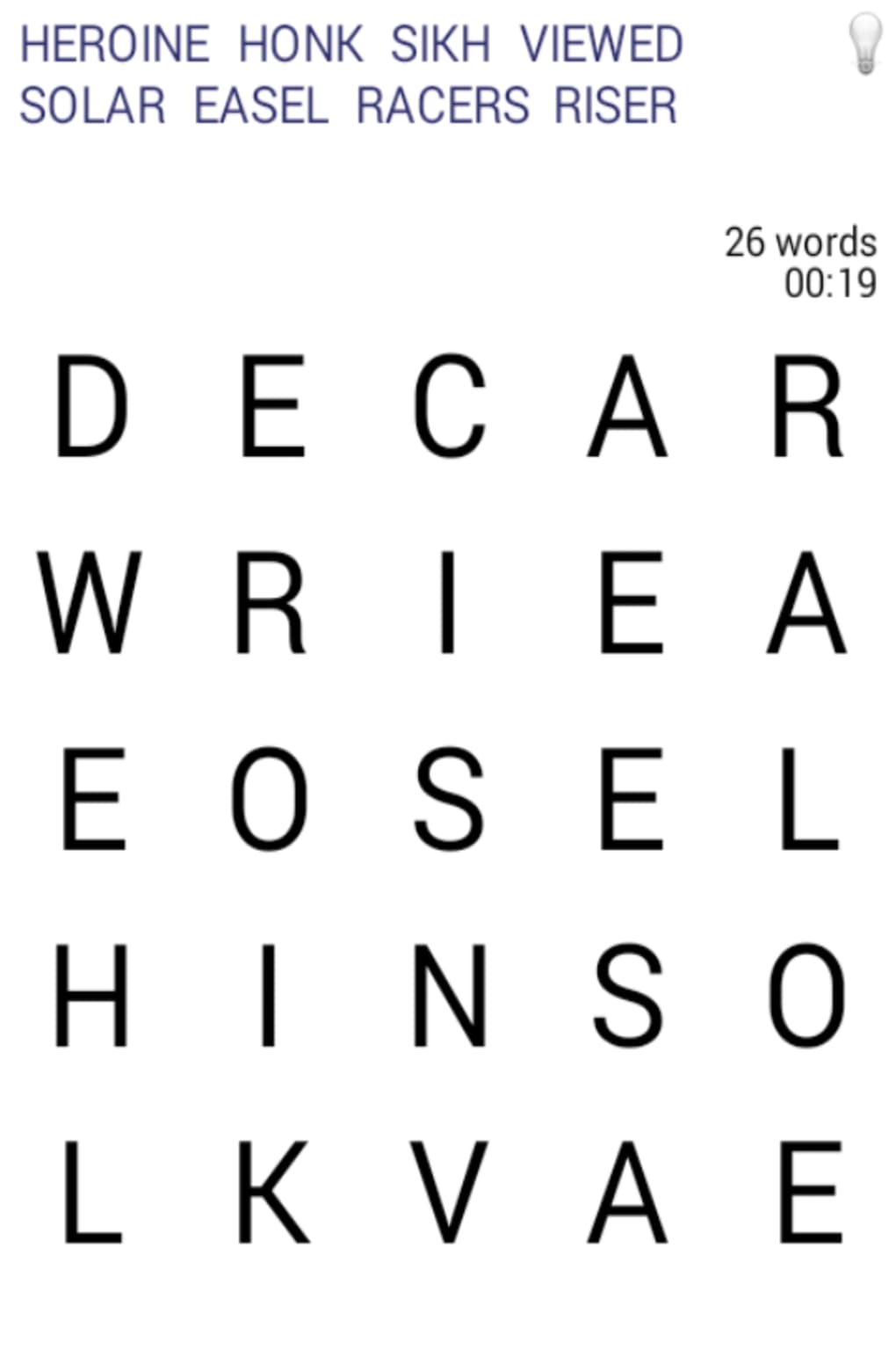

Find Words in a Grid – Simple Puzzle Game
Overview
Words is a straightforward puzzle game centered around word search mechanics, designed for casual players seeking light entertainment. The core concept involves identifying predefined words hidden within a grid, which can be arranged in multiple directions—horizontal, vertical, diagonal, and reversed. This format offers a familiar experience for fans of word-based challenges.
The game supports two primary modes: Challenge mode, where players select from three difficulty levels, and Time Attack mode, which tests speed and accuracy under time pressure. While the gameplay loop is simple and accessible, the experience is significantly impacted by the software’s visual presentation. The user interface is described as unattractive and lacks modern design standards, which detracts from engagement.
Performance also presents concerns, with reported lag during letter selection, potentially disrupting the flow of gameplay. Despite these drawbacks, the software serves as a basic tool for short-term distraction or mental exercise. It is best suited for users who prioritize gameplay over aesthetics and are tolerant of minimal design polish.
Key Features & Capabilities
- Word Search Mechanics: Players must locate and select a predefined list of words hidden in a grid. Words can appear in any direction, including diagonals and backwards, increasing the challenge.
- Challenge Mode: Offers three difficulty levels, allowing players to adjust the complexity based on their skill level. This mode is ideal for those who prefer a measured, thoughtful approach.
- Time Attack Mode: Tests speed and reflexes by requiring players to find as many words as possible within a fixed time limit. Suitable for quick bursts of gameplay.
- Simple Interface: The layout focuses on the grid and word list, minimizing distractions. While functional, it lacks visual refinement and modern interaction feedback.
- Lightweight Design: With a file size of 12.5 MB, the software is compact and quick to install, making it accessible on systems with limited storage.
These features support casual engagement, particularly during short breaks or downtime. The game is well-suited for users who enjoy mental stimulation without complex mechanics. However, the lack of visual polish and performance hiccups may hinder sustained enjoyment, especially for users sensitive to interface responsiveness.
User Interface, Workflow & Performance
The user interface of Words is described as visually unappealing, with a lack of modern design elements such as smooth transitions, consistent color schemes, or intuitive iconography. Navigation is minimal, relying on direct grid interaction, which may be easy to grasp but offers little guidance for new users. The workflow begins with selecting a game mode, followed by initiating the puzzle, and then progressing through letter selection.
While the structure is logical, the experience is marred by reported lag when tapping or clicking letters, which may disrupt the rhythm of gameplay. The developer did not specify resource usage details, so CPU and RAM behavior remain unknown. Performance observations are based on general software behavior patterns.
Stability appears to be present during basic operation, but the interface may not respond smoothly under repeated interaction. Overall, the software functions as intended but does not deliver a polished or immersive experience.
Compatibility & System Requirements
Words is compatible with both Windows and Mac operating systems, making it accessible to a broad audience of desktop users. The software version is 1.0, indicating a stable initial release. The installation size is 12.5 MB, which is compact and suitable for systems with limited storage.
Exact system requirements were not listed, so users should assume minimal hardware demands. Compatibility information was partially provided, and no additional platforms or devices were mentioned. The developer did not provide further details on supported hardware or background processes.
Users are advised to test the software on their system to confirm functionality.
Pros and Cons
Pros
- Simple and accessible gameplay for casual users
- Two distinct game modes for varied challenge levels
- Compact file size (12.5 MB) for fast installation
- Free to download and use
- Runs on both Windows and Mac platforms
Cons
- Unattractive and outdated user interface
- Reported lag during letter selection
- Limited visual feedback and design polish
- No information on system requirements or performance optimization
- Minimal customization or accessibility options
FAQ Section
Is Words available for both Windows and Mac?
Yes, the software is compatible with both Windows and Mac operating systems.
Is the software free to use?
Yes, Words is available at no cost. There are no in-app purchases or subscription fees mentioned.
Can I play the game offline?
Yes, the game does not require an internet connection to function, making it suitable for offline use.
How often are updates released?
There is no information available on the update frequency. The current version is 1.0, suggesting a stable initial release.
Is the software secure to download and install?
As a free desktop application from a known developer, the software is expected to be safe. However, users should download from official sources to ensure integrity.
Final Thoughts + CTA
Words delivers a basic word search experience with clear gameplay mechanics and dual modes for different play styles. While the concept is solid and accessible, the execution is hampered by a poorly designed interface and performance issues. The lack of visual appeal and responsiveness may deter users seeking a refined experience.
However, for those who value simplicity and are not sensitive to design flaws, it remains a viable option for short entertainment. The free price point adds value, especially for casual players. If you’re looking for a no-frills puzzle game to pass the time, it’s worth a try despite its shortcomings.
Download Words now.







